

The platforms are compatible with the deployment of our Chat UIKit.
- Android
- iOS
- Web (version 0.1.4 and later)
- Windows (version 2.0.0 and later)
- macOS (version 2.0.0 and later)
This document introduces how to quickly run the Chat demo on the iOS platform. For the other platforms, please refer to document:
- chat-uikit-android
- chat-uikit-ios
- chat-uikit-vue
- chat-uikit-react
- chat-uikit-uniapp
- chat-uikit-wechat
| Platform | Version |
|---|---|
| Flutter | Flutter 3.0.0 or later for the IM SDK; Flutter 3.24.0 or later for the TUIKit component library. |
| Android | Android Studio 3.5 or later; devices with Android 4.1 or later for apps |
| iOS | Xcode 11.0 or later. Ensure that your project has a valid developer signature. |
| Flutter version | tencent_cloud_chat_uikit version | Third-party libraries | Compatible Configurations |
|---|---|---|---|
| 3.32.4 | ^5.0.0 |
| |
| 3.29.0 | ^5.0.0 |
|
|
| 3.27.0 | ^3.1.0+2 |
| |
| 3.24.0 - 3.24.4 | ^3.0.0 |
|
|
| 3.22.0 - 3.22.3 | ^2.7.2 |
|
- Log in to the Chat Console. If you already have an app, record its SDKAppID.
- On the Application List page, click Create Application.
- In the Create Application dialog box, enter the app information and click Confirm. After the app is created, an app ID (SDKAppID) will be automatically generated, which should be noted down.
- Click Application Configuration in the row of the target app to enter the app details page.
- Click View Key and copy and save the key information.
Please store the key information properly to prevent leakage.
- Download the source code and install dependencies:
# Clone the code
git clone https://github.com/TencentCloud/chat-demo-flutter.git

# Flutter clean
flutter clean

# Install dependencies
flutter pub get
- [Optional] Running or Deploying on the Web
If you prefer to run or deploy this sample app on the web, you'll need to complete a few additional steps first.
Navigate to the web/ directory of your project and use npm or Yarn to install the required JavaScript dependencies.
cd web

npm install
Once you've completed these steps, you'll be ready to run or deploy the sample app on the web.
- Run it:
Start the sample app. Fill in sdkAppID and key recorded in Chat Console in config.dart
-
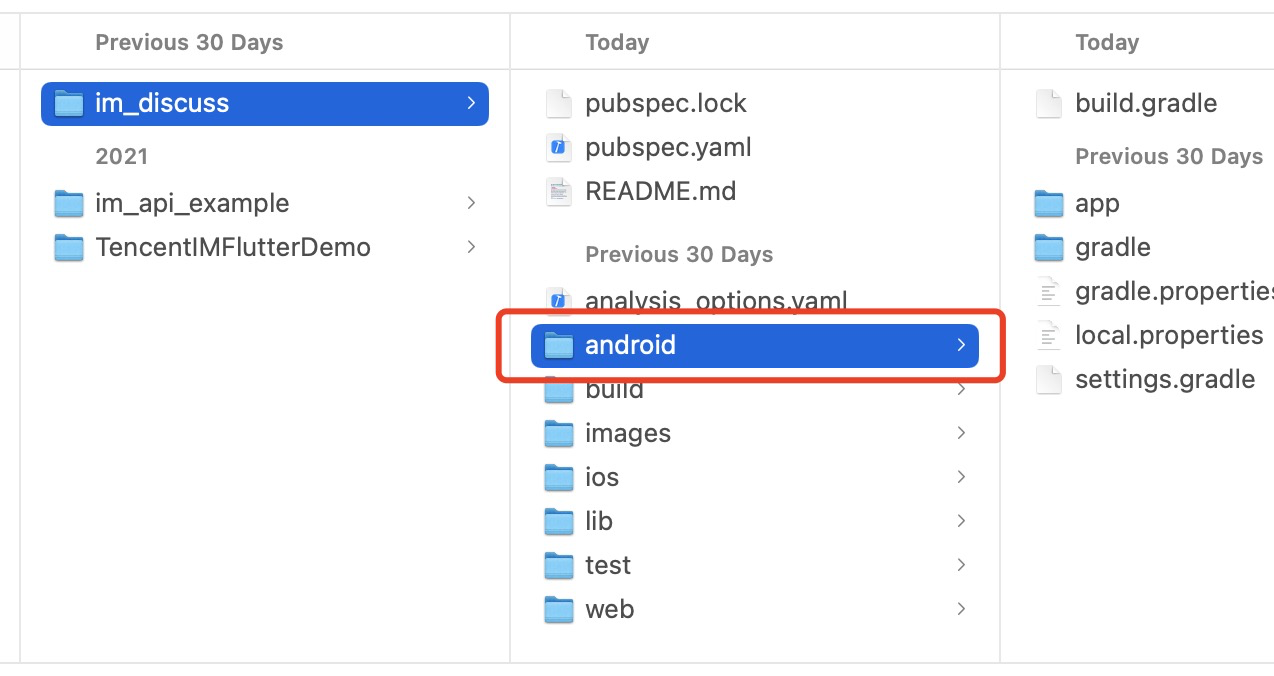
Go to the discuss/android directory via Android Studio.
-
Start an Android simulator, tap Build And Run to run the sample app. Enter a random
UserID(a combination of digits and letters).
The UI of the latest version of the sample app may look different after adjustments.
-
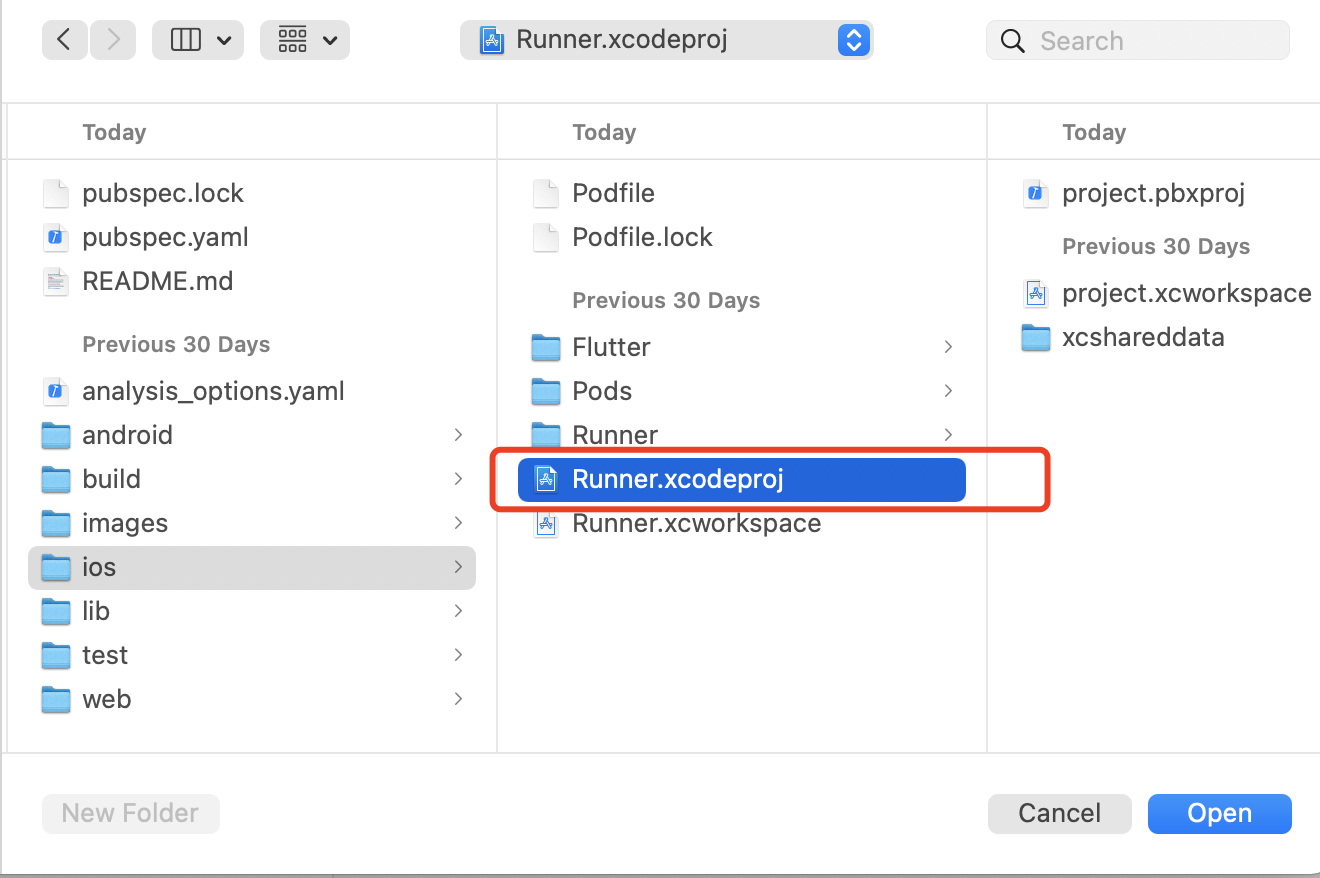
Open Xcode and the file discuss/ios/Runner.xcodeproj:
-
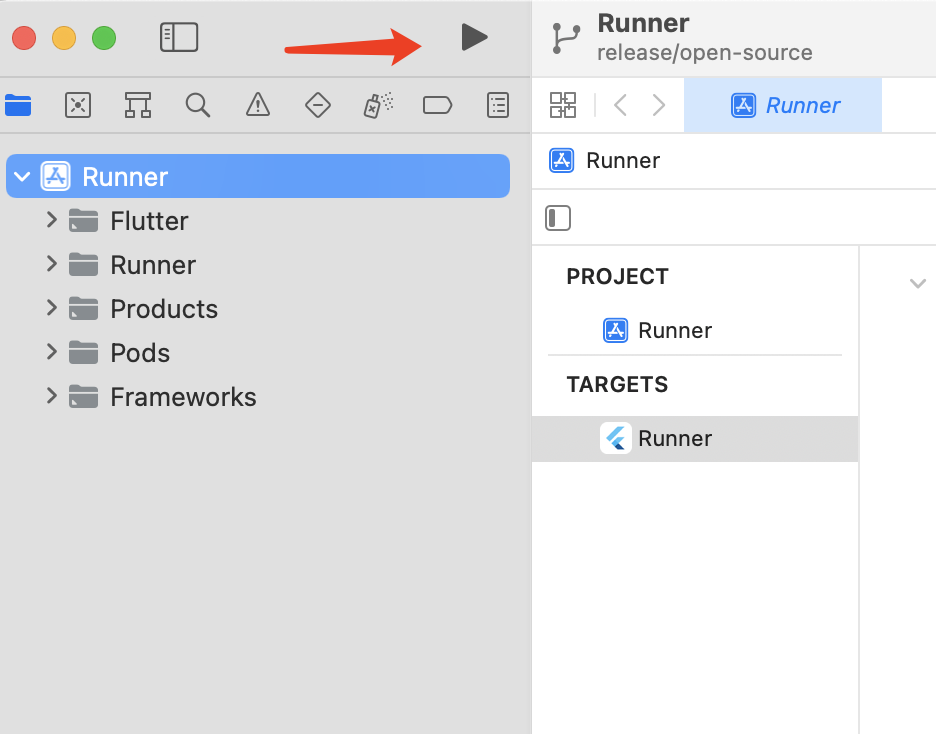
Connect an iPhone, and click Build And Run. After the iOS project is built, the Xcode project will be displayed in a new pop-up window.
-
Open the iOS project, and set Signing & Capabilities (an iPhone developer account required) for the primary target to run the project on the iPhone.
-
Start the project and debug the sample app on the iPhone device.
The TUIKit Library Overview for Flutter is used for the UI and business logic of the sample app. The sample app layer itself is only used to build the application, process navigation redirects, and call instantiated TUIKit components.
| Folder | Description |
|---|---|
| lib | Core application directory |
| lib/i18n | Internationalization code, excluding the internationalization capabilities and strings of TUIKit, which can be imported as needed. |
| lib/src | Main application directory |
| lib/src/pages | Important navigation pages of the sample app. After the application is initialized, app.dart displays the loading animation, judges the login status, and redirects the user to login.dart or home_page.dart. After the user logs in, the login information will be stored locally through the shared_preference plugin and used for automatic login upon future application launch. If there is no such information or the login fails, the user will be redirected to the login page. During automatic login, the user is still on app.dart and can see the loading animation. home_page.dart has a bottom tab to switch between the four main feature pages of the sample app. |
| lib/utils | Some tool function classes. |
Basically, a TUIKit component is imported into each dart file in lib/src. After the component is instantiated in the file, the page can be rendered.
Below are main files:
Main File in lib/src | Description |
|---|---|
| add_friend.dart | Friend request page that uses the TIMUIKitAddFriend component. |
| add_group.dart | Group joining request page that uses the TIMUIKitAddGroup component. |
| blacklist.dart | Blocklist page that uses the TIMUIKitBlackList component. |
| chat.dart | Main chat page that uses all the chat capabilities of TUIKit and the TIMUIKitChat component. |
| chatv2.dart | Main chat page that uses atomic capabilities and the TIMUIKitChat component. |
| contact.dart | Contacts page that uses the TIMUIKitContact component. |
| conversation.dart | Conversation list page that uses the TIMUIKitConversation component. |
| create_group.dart | Group chat page that is implemented in the sample app with no component used. |
| group_application_list.dart | Group application list page that uses the TIMUIKitGroupApplicationList component. |
| group_list.dart | Group list page that uses the TIMUIKitGroup component. |
| group_profile.dart | Group profile and management page that uses the TIMUIKitGroupProfile component. |
| newContact.dart | New contact request page that uses the TIMUIKitNewContact component. |
| routes.dart | Sample app route that navigates users to the login page login.dart or homepage home_page.dart. |
| search.dart | Global search and in-conversation search page that uses the TIMUIKitSearch (global search) and TIMUIKitSearchMsgDetail (in-conversation search) components. |
| user_profile.dart | User information and relationship chain maintenance page that uses the TIMUIKitProfile component. |
The navigation redirect method needs to be imported into most TUIKit components; therefore, the sample app layer needs to process Navigator.
You can modify the above sample app for secondary development or implement your business needs based on it.
For those who require real-time voice and video call capabilities alongside our Chat UIKit, we highly recommend our dedicated voice and video call UI component package, tencent_calls_uikit. This robust and feature-rich package is specifically designed to complement our existing solution and seamlessly integrate with it, providing a comprehensive, unified communication experience for your users.
